An on-call schedule answers one deceptively simple question: who owns the alert right now? Not "who usually owns this service", not "who merged the suspicious pull request", and not "who has the most haunted look in Slack". Right now, at this exact timestamp.
That sounds like a calendar problem. It is really a chain-of-ownership problem:
Incoming alert
  -> route matches the alert
  -> team owns the service
  -> rotation calculates the current shift
  -> responder receives a notification
  -> ACK confirms human ownership
  -> no ACK triggers reminder or escalation
If any link is missing, the colorful calendar is only decorative infrastructure. Decorative infrastructure rarely improves MTTA, although it does look excellent in quarterly slides.
The six parts people accidentally mix together
| Part | Question it answers | Typical failure |
|---|---|---|
| Team and service ownership | Who is capable of fixing this? | Every alert goes to the generic ops room. |
| Rotation | Whose turn is it? | A deleted or inactive user remains scheduled. |
| Coverage window | When does this duty exist? | A gap appears between business hours and nights. |
| Notification channel | How do we reach the responder? | The schedule is correct, but the phone never makes a sound. |
| Escalation | What happens without an ACK? | One sleeping person becomes a single point of failure. |
| Override | How do we handle a temporary exception? | A vacation swap lives only in chat history. |
Keep these concepts separate. Changing a Slack channel should not rewrite the schedule; covering a vacation should not permanently reorder a rotation; and an escalation path should not depend on someone remembering to forward a message manually.
Choose a rotation model from the workload
There is no universally correct shift length. Choose it from alert volume, team size, time-zone distribution and the amount of context needed to operate the service.
| Model | Works well when | Watch out for |
|---|---|---|
| Weekly primary | A small team shares a service and paging volume is manageable. | A bad week can be very long; provide a secondary and easy swaps. |
| Daily shifts | Paging is intense or work follows a daily operations rhythm. | Seven handoffs create seven chances to lose context. |
| Business-hours plus nights/weekends | Different groups cover office hours and after-hours. | Overlapping or missing layer restrictions. |
| Follow-the-sun | Regions have enough trained responders and clean service handoffs. | Calling it follow-the-sun does not create engineers in an uncovered region. |
Pick the longest shift that does not create dangerous fatigue, and the shortest shift that does not drown the team in handoffs.
A concrete four-person schedule
Suppose Alice, Bob, Carol and Dan operate one production service. A reasonable first version is a weekly primary rotation, Monday 10:00 to Monday 10:00 in the team timezone, plus a separate weekly secondary rotation offset by one position.
Week 1: primary Alice  | secondary Bob
Week 2: primary Bob    | secondary Carol
Week 3: primary Carol  | secondary Dan
Week 4: primary Dan    | secondary Alice
The offset matters: primary and secondary should not accidentally resolve to the same human. At four people, each engineer carries roughly 52 / 4 = 13 primary weeks per year before vacations and absences. If two people are not yet qualified, the effective pool is two, not four, and the load doubles. Calendar arithmetic is brutally immune to optimistic staffing decks.
For a team of three or fewer, 24/7 primary plus secondary coverage is usually fragile. You may still need it, but name the risk explicitly: add a manager fallback, reduce paging scope, borrow a trained responder from another team, or fund additional capacity.
Calendar: "You are free this weekend."
On-call schedule: "Interesting theory."
Use layers for recurring rules, overrides for exceptions
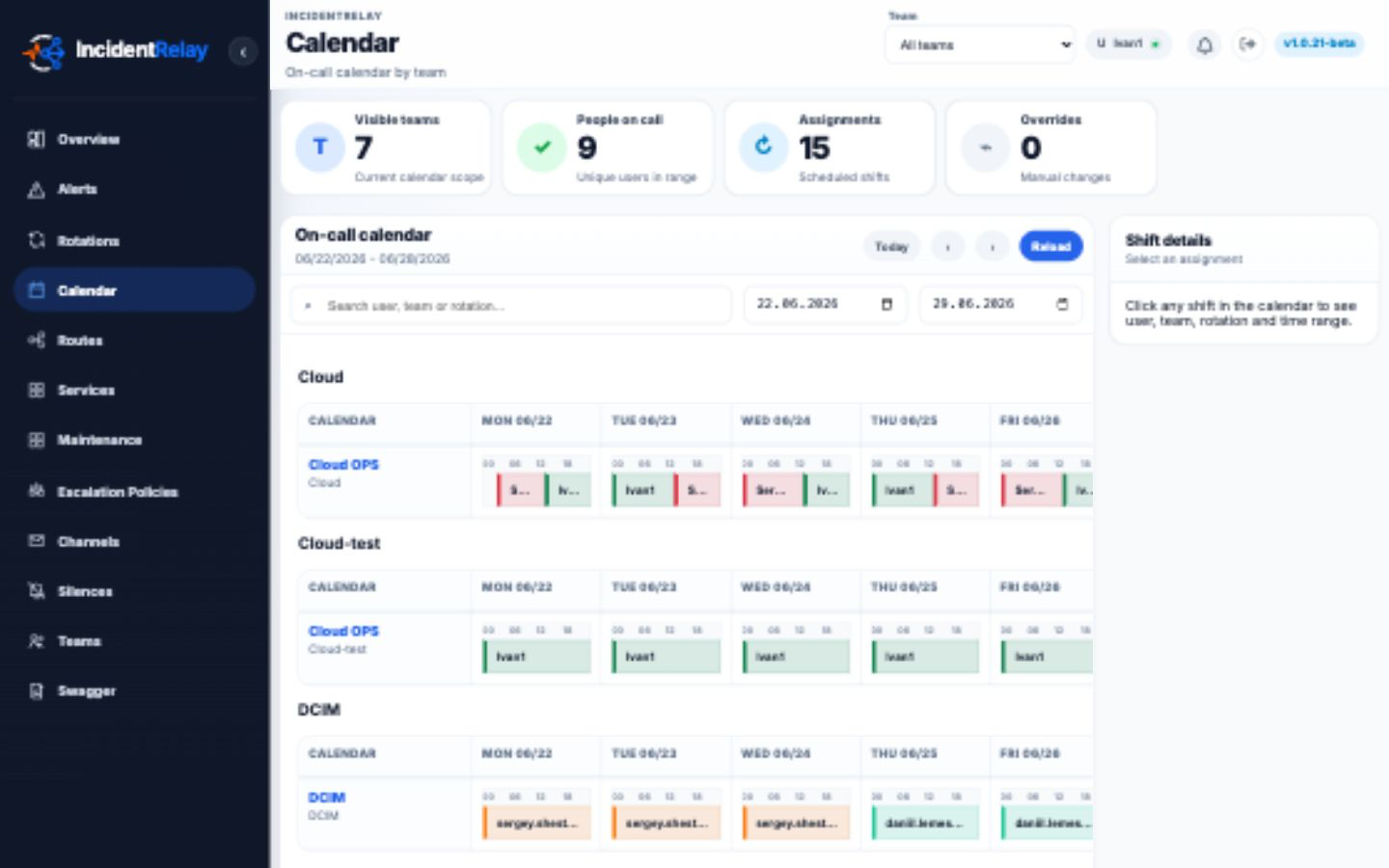
In IncidentRelay, a rotation can contain multiple layers with their own members, timezones, handoff rules and active-time restrictions. A business-hours layer might run Monday to Friday from 09:00 to 18:00, while a higher-priority weekend layer covers Saturday and Sunday. When layers overlap, the highest-priority active layer wins.
A temporary swap belongs in an override. Overrides sit above the calculated layers, so the effective order is:
temporary override
  > highest-priority active layer
  > no assignment
Use a narrow window and a reason such as "Alice PTO, covered by Carol". Do not use six months of overrides to avoid fixing the base rotation. That is a spreadsheet wearing a fake moustache.
The detailed mechanics are documented in Teams, Rotations, Layers and Routes and Rotation Overrides.
Define the handoff contract
A handoff is not merely the instant a name changes. Write down what transfers with the duty. A compact handoff message can contain:
- active incidents and the current incident owner;
- acknowledged alerts that may fire again;
- deployments, migrations and active silences in the next shift;
- degraded dependencies or reduced redundancy;
- temporary overrides and who approved them;
- one explicit line: "Bob has accepted the shift."
Handoff 2026-07-27 10:00 Europe/Berlin
Active incidents: none
Risks: payments-db replica lag; ticket OPS-431
Changes: API deploy at 14:00
Silences: staging load test until 16:30
Next responder: Bob -- accepted at 09:54
Keep ownership of an already active incident explicit. Some teams leave it with the original incident commander; others transfer it during handoff. Either is workable. "We assumed" is the version that generates postmortems.
Connect the schedule to an escalation path
A schedule identifies the first responder; it does not prove that the responder received the page. For critical alerts, define how long you wait for an acknowledgement and who receives the next notification. A starter policy might page the primary immediately, the secondary after five minutes, and a named team lead ten minutes later.
Base the delays on the service objective. If a P1 needs human action within ten minutes, a fifteen-minute first step is mathematically incompatible with that goal. Time remains annoyingly linear even during outages.
Test the next 30 days, not only the current minute
Before launch and after every structural change, inspect the future calendar. Check daylight-saving transitions, weekends, membership start dates, layer restrictions and override boundaries. IncidentRelay's On-call Health diagnostics can identify missing layers, inactive members, routes without an assignment target and future schedule gaps.
Then send a real test alert through the same intake route production monitoring will use. Verify all of this:
- The route accepts the intended source and matcher labels.
- The expected team, service and on-call user are selected.
- The notification arrives through an actually used device or channel.
- The responder can acknowledge it.
- Reminders stop after acknowledgement.
- An unacknowledged test follows the expected escalation timeline.
- The next responder can see why they were notified.
Definition of done
Your first on-call schedule is ready when the next 30 days have no unexplained gaps, every shift has a reachable primary, temporary absences use visible overrides, the escalation path has been exercised, and responders know the handoff contract. Review it after the first month using actual page volume and missed-ACK data.
Start with one understandable duty line. Add layers only for real coverage differences and add escalation because humans are fallible. Complexity is like hot sauce: useful in the right amount, memorable when poured directly into production.
Want to make this less theoretical?
IncidentRelay gives you schedules, rotations, routing, escalations and alert actions in one open-source, self-hosted package. The pager may still be rude, but at least it will be organized.